EN

News
Labeling Machine with Thermal Transfer Overprinter: An Integrated Coding and Labeling Solution for Flexible Packaging
On flexible packaging production lines, packaging needs to carry more information than ever before. Ingredient lists and allergen declarations are essential for regulatory compliance, production dates and batch numbers support product traceability, QR codes provide tracking and marketing functions, barcodes connect products to distribution systems, and brand logos ensure consistent visual presentation on every package.
Traditional methods rely on pre-printed packaging film for fixed information, followed by mechanical coding wheels or inkjet printers to add variable data. This approach creates a fragmented production process and increases costs whenever packaging designs need to be changed.
A Thermal Transfer Overprinter (TTO) uses a resolution of up to 300 dpi to transfer ink from a ribbon directly onto film or label surfaces. It addresses common problems such as poor ink adhesion on non-absorbent materials and film damage caused by mechanical type printing.
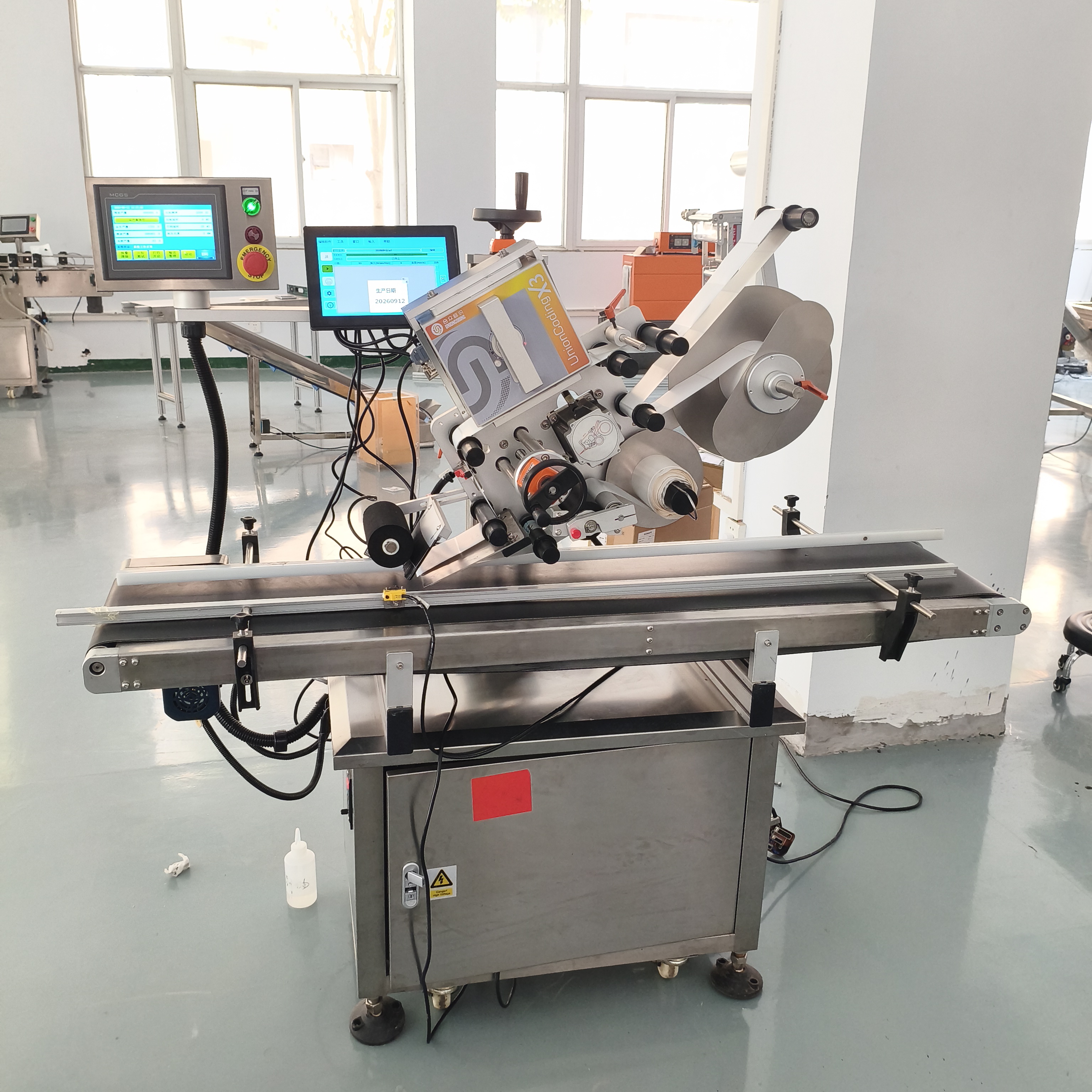
However, TTO printing is not limited to direct printing on packaging film. Combining a TTO printer with a labeling machine provides another proven and practical solution: print the required information onto a label first, then apply the printed label to the packaging surface.
For companies specializing in labeling equipment, this integrated coding and labeling solution is a valuable option to recommend to flexible packaging customers.
Why Recommend a Coding and Labeling Solution for Flexible Packaging?
Direct printing onto packaging film is efficient, but it is not suitable for every product or production line. In several common applications, using a printed label offers clear advantages.
1. Pre-Made Pouches and Finished Packaging
When a vertical form-fill-seal (VFFS) machine uses roll film to produce bags, a TTO printer can print directly onto the film before the bags are formed.
However, pre-made packaging such as stand-up pouches, zipper bags and spout pouches is already formed. These products do not provide a flat, continuous film path for direct contact with the TTO printhead.
In these cases, printing the required information onto a label and then applying it to the pouch is often a more practical solution.
2. Film Surfaces Unsuitable for Direct Printing
Highly glossy metallized films, laminated surfaces and flexible packaging with special coatings may present challenges for thermal transfer ink adhesion.
Label facestock materials have dedicated printable coatings that can provide more consistent ink acceptance. Applying a printed label can therefore improve the reliability and durability of product information.
3. Dedicated Space for Ingredient Lists and Detailed Information
When the available printing area on packaging film is limited or the pre-printed design already occupies most of the surface, an additional label can provide dedicated space for regulatory information, ingredient lists and traceability codes.
This allows manufacturers to meet labeling requirements without redesigning their existing packaging.
Two Integration Options: All-in-One Systems and Separate Machines
There are two main ways to implement a coding and labeling solution. Each has its own advantages and suitable applications.
1. Integrated Print-and-Apply Labeling Machine
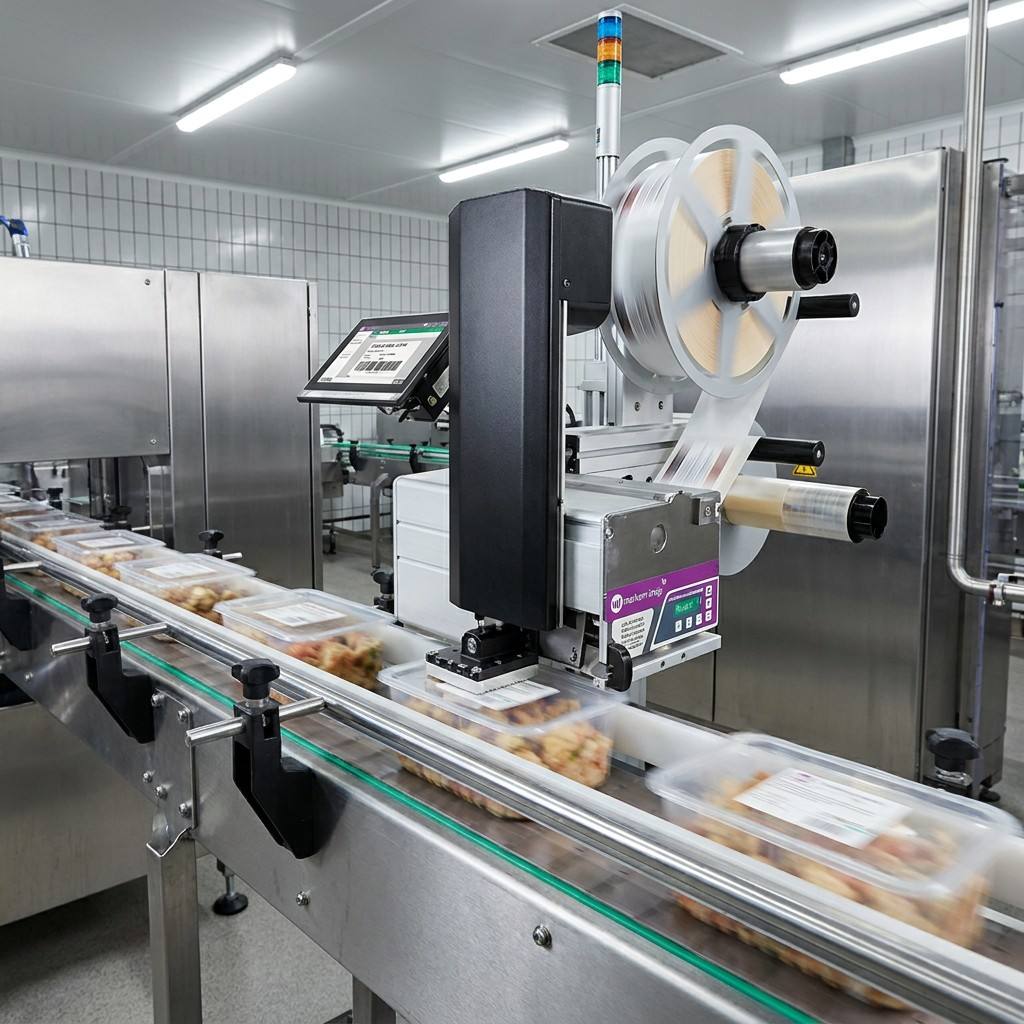
In this configuration, the TTO printing module and labeling module are integrated into one machine. The label is printed during the dispensing and application process, delivering a fully coded label in a single operation.
The main advantage is its compact footprint, making it suitable for production lines with fixed label specifications and stable output requirements.
However, the printing and labeling modules are closely connected. A fault in either section may stop the entire machine. During product changeovers, both printing and labeling parameters may need to be adjusted, increasing setup complexity.
2. Separate TTO Printer and Labeling Machine
A more flexible option is to use an independent TTO printer together with a separate labeling machine.
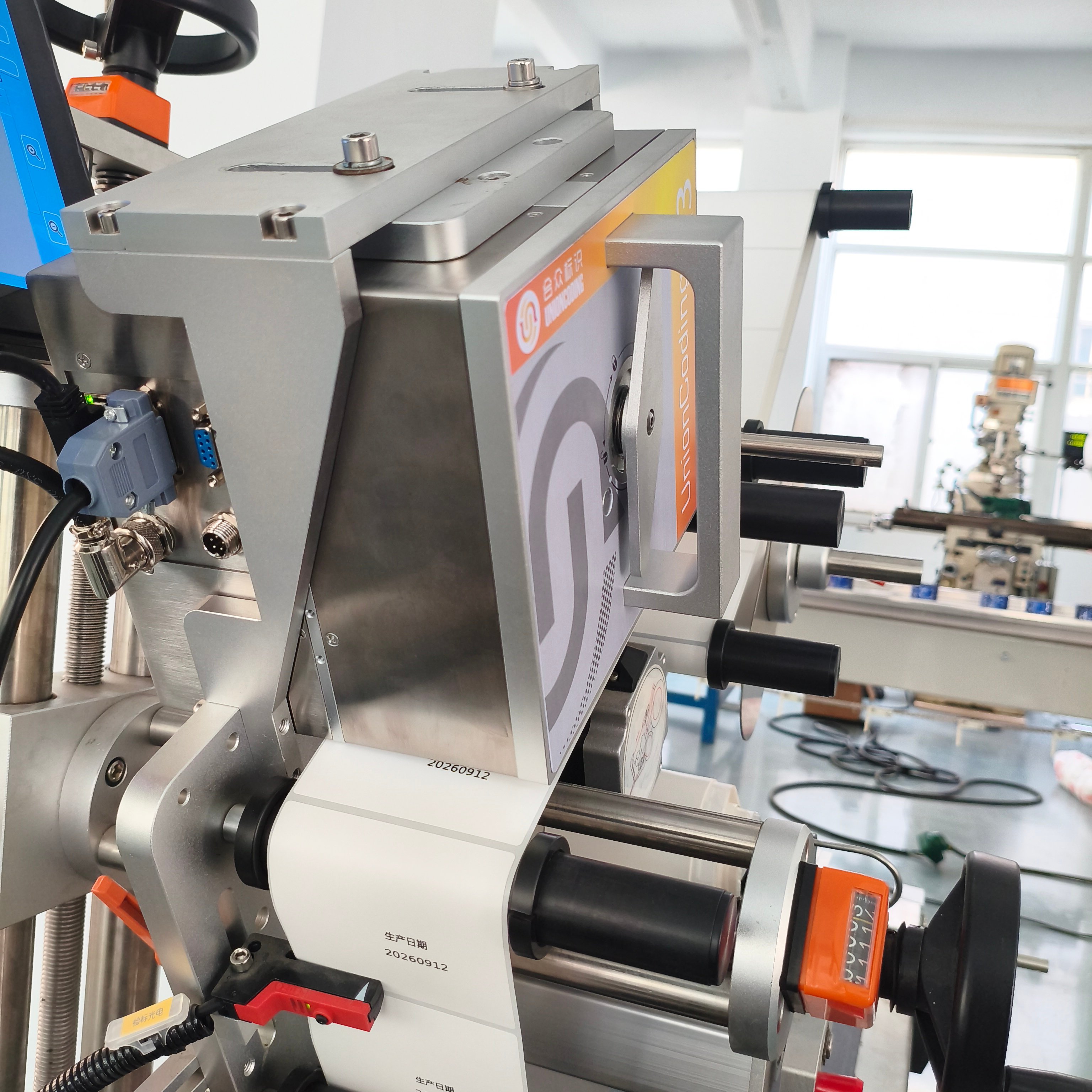
The TTO printer first prints information onto a label roll. The printed labels are then fed into the labeling machine and applied to the packaging surface.
This configuration offers several advantages:
Independent operation: If either the printer or labeling machine encounters a problem, the other unit can continue operating independently or be bypassed where the production setup allows.
Flexible changeovers: Printing and labeling parameters can be adjusted separately without affecting the other machine.
Easier maintenance: Each unit can be serviced or replaced independently.
Flexible investment: Manufacturers can purchase the labeling machine first and add the TTO printer later according to production needs and budget.
The main trade-off is that two machine stations are required, along with a suitable material transfer and feeding arrangement between them.
For production lines handling multiple product varieties, small batches and frequent changeovers, a separate-machine configuration can offer better overall flexibility.
Leading TTO manufacturers commonly provide integration options for labeling applications. When selecting equipment, buyers should confirm the compatibility of the TTO printer, labeling machine and label feeding system.
For labeling machine suppliers, the separate-machine solution also provides a practical commercial advantage: customers can purchase the labeling machine first and add the TTO printer in a later stage, reducing the initial investment.

Key Factors When Selecting a TTO Printer for Labeling Applications
1. Match Print Width to Label Size
The available printing area on a label is often more restricted than the open printing area on packaging film.
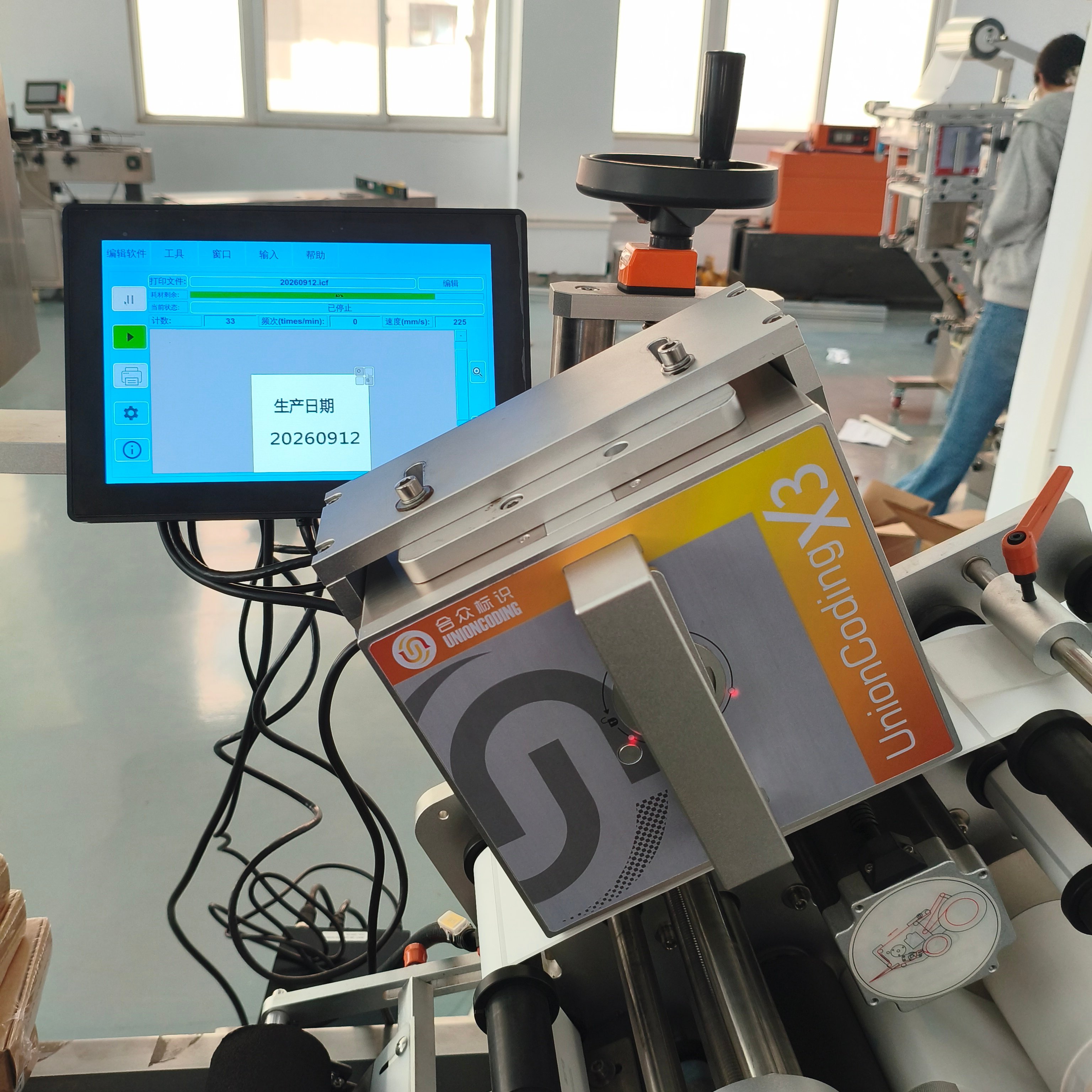
If one label needs to contain an ingredient list, QR code, production date and logo, the maximum TTO print width must be sufficient to accommodate the entire layout.
Common printhead widths include 32mm, 53mm and larger options, depending on the printer model.
Some automatic sheet feeding and print-and-apply labeling machines support label heights ranging from approximately 10mm to 100mm. If the required information exceeds the available space, manufacturers may need to use multiple labels or optimize the information layout.
2. Match the Thermal Transfer Ribbon to the Label Material
Label facestock materials are more diverse than packaging films. Common options include coated paper, PET, synthetic paper and matte silver self-adhesive labels.
Different materials have different ink acceptance characteristics when used with wax, wax-resin or resin thermal transfer ribbons.
A ribbon that performs well on packaging film may produce insufficient adhesion or low print density on certain label materials.
We recommend testing the actual label material before production to verify barcode readability, print darkness and abrasion resistance.
3. Labeling Accuracy Determines the Final Position of Printed Information
After printing, labels pass through several stages, including peeling, conveying and application. The labeling accuracy, typically around ±1mm to ±2mm depending on the machine and application, determines the final position of the printed information on the package.
If the printed content needs to align with pre-printed graphics or fit within a reserved area on the label, accumulated labeling tolerances must be considered during layout design.
4. Synchronize Printing Speed with Labeling Speed
The TTO printing speed must be coordinated with the label feeding speed of the labeling machine.
Intermittent labeling machines are generally straightforward to pair with TTO printers operating in intermittent mode. Continuous labeling machines require a compatible continuous printing mode and sufficient printing frequency to keep up with the labeling cycle.
Some TTO models support maximum printing frequencies of approximately 4–8 prints per second. For high-speed labeling lines, manufacturers should verify label spacing, available printing windows and the actual production cycle to ensure reliable synchronization.
Conclusion
The combination of a thermal transfer overprinter and a labeling machine essentially moves "information carrying" from the packaging film to the label, using one flexibly printed label to simultaneously address ingredient lists, QR codes, barcodes, dates and logos. For labeling machine suppliers, this means delivering not just a labeling device but a complete "coding + labeling" identification solution—reducing the customer's packaging material management complexity while expanding the application scenarios and companion value of the labeling machine itself. Focus on the four key points—print width, facestock matching, labeling accuracy and speed matching—and this combination will land reliably on flexible packaging lines.